On the other side of the header, you will find links to Notifications, Private messages, and another drop down menu of links.
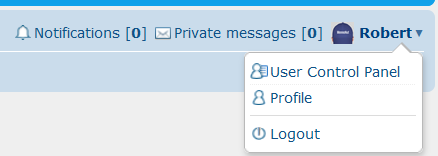
This will give you access to your User Control Panel where you can add a small avatar picture, edit your "Signature" which will be automatically placed at the bottom of every post you make.
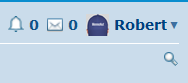
For those using cell phones or smaller screens it will look more like this:
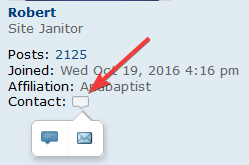
Now you can post a silly or serious avatar and act like an old pro at this. The avatar picture size needs to be quite small. If you have a picture and it is rejected because of size there are sites on the internet that will shrink it for you. You can also contact me and I would be happy to downsize it for you. Click the Contact icon under my, or any member you want to contact and click the Private Message(PM) Icon.
This will start a new page with the context of the post you clicked the contact button in and add the person you want to contact into the "To:" line. Just add what you want to say then hit submit. It will sit in
your outbox until the recipient reads it. This will tell you that they actually opened the PM. On smaller screens, this feature is not as easily accessible, but you can click the poster's name at the top and view their profile and find a link to PM them.
Again, do not be shy to ask if you need help figuring things out and/or making things work. We a small group and help each other often. It is the core reason for the site, to build community. So, welcome the our little corner.
 By the way, capitalization doesn't matter in the address, I just capitalize to make it easier to read.